
Building PaddleChamps: Court Booking for Community Courts
How Mark DeVore built PaddleChamps, and the product decisions behind court booking, open play, and a free start for community courts.
I built PaddleChamps for community courts and small pickleball facilities that still piece reservations together from texts, shared calendars, and whoever is standing at the desk. It is an independent software project I develop and operate, separate from client advisory work.
The useful part for an operator is the set of decisions: one page for players, a free start for shared courts, paid plans that add payments and open play, and a refusal to pretend a reservation code unlocks a door.
One place to reserve a court
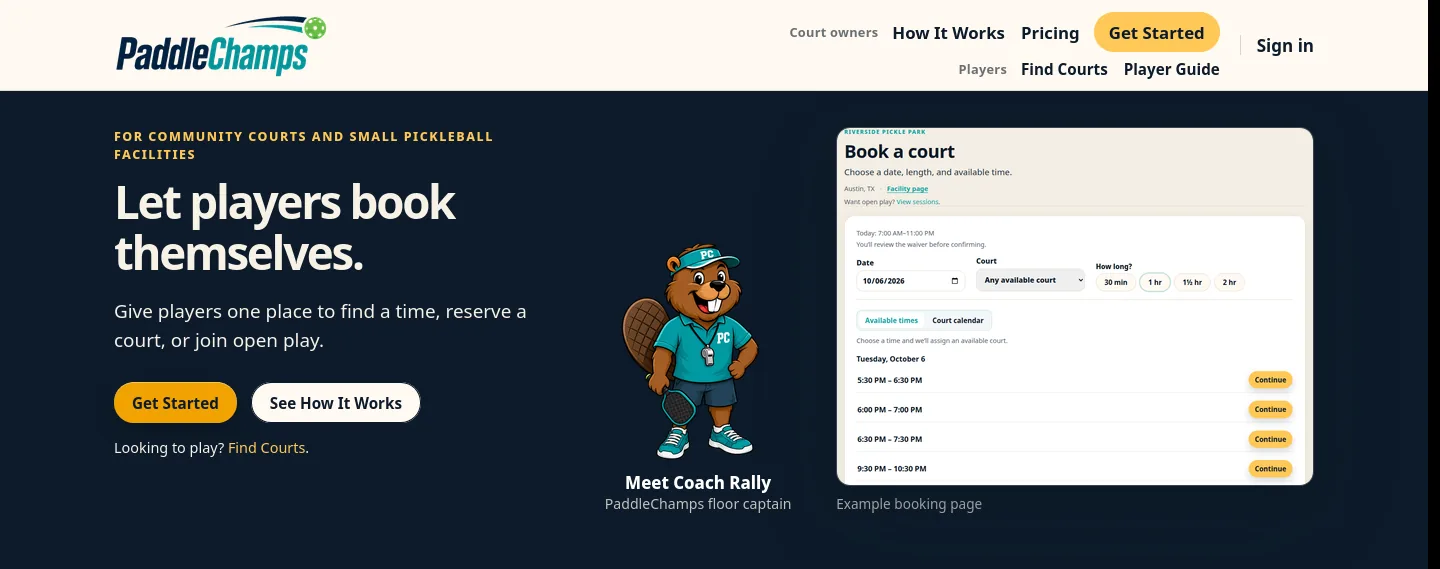
A player planning an evening game needs an open time. The person running the courts needs a list of who is coming, which court they will use, and whether that time is still free. PaddleChamps puts those tasks on a facility page the operator can share. Players choose a date, a length, and an available time, then review the details and any required waiver before the reservation is confirmed.
When public booking is turned off, an approved resident can still reserve with the email the facility approved. That approval is a permission to book. It is a different thing from a paid membership.
A list the operator can actually use
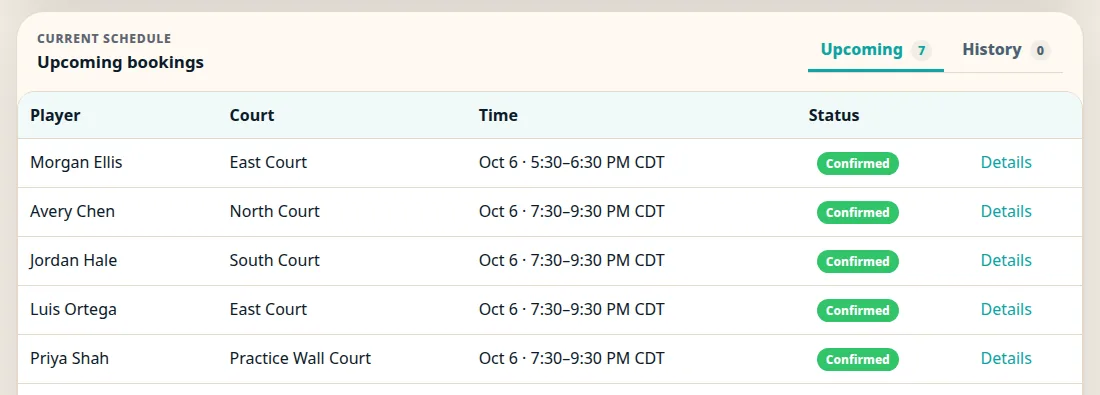
The operator side is the other half of the same booking. Upcoming reservations show the player, the court, the time, and the status. A full time can carry a booking waitlist, and an opening can invite the next person waiting. Joining that list is a place in line. The reservation is confirmed when the player claims the opening.
Open play without the group text
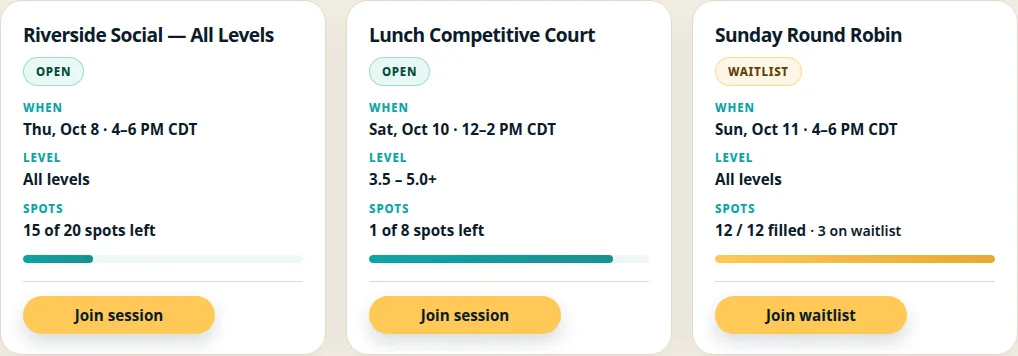
Booking Lite adds open-play registration, including free sessions. An operator publishes a session with a player limit and chooses the courts that session occupies. Those courts stay off the private booking list while the session is scheduled. Players can see the spots left, join the session, or join its waitlist when it fills. A waitlist spot is still a wait. The operator can copy a session onto later dates; the copy keeps the setup and leaves the players, the waitlist, and any payments behind.
Three ways to start, with a court limit on each
Community Starter is free, for up to four active courts. Players reserve free court time from the facility page, and booking waitlists are available when a time is full. Open play and player payments stay on the paid plans.
Booking Lite is $49 a month, for up to six active courts. It adds paid court reservations and open-play registration. Players pay through Stripe Checkout, and the reservation or registration is confirmed after payment succeeds. Canceling releases the court or the spot right away. A refund of a paid booking stays pending until the facility issues the full refund.
Digital Front Desk Pro is $99 a month, for up to nine active courts. It adds one-time and monthly player memberships, prepaid passes, staff-checked reservation codes, custom branding, and reports the operator can export. The facility collects membership payments. Those payments are separate from the facility’s own PaddleChamps subscription.
Automatic door access is an optional Pro add-on, and it is marked coming soon. A staff-checked code is something staff can read for a booking. It does not unlock a door. Marking a no-show records the no-show. It does not cancel the booking by itself.
What the screen is willing to say
Open play shows who registered and how full a session is. It does not record who walked onto the court. Activity can total what was collected in a date range. That figure is collections minus completed refunds. It is not a payout, and it is not a promise about who attended.
Those limits are the product. A booking page that implies attendance, inventory of open courts it cannot see, or a door it cannot open would be a worse tool for the person standing at the desk.
The technology behind the desk
The player page and the operator desk share one set of courts, bookings, and sessions, and they present different work. A player is choosing a time. An operator is publishing hours, holding courts for a session, and reading the list.
Underneath that is a custom web application built with Python and Flask, PostgreSQL, and Stripe for player checkout and the facility subscription. Keeping a free community plan and two paid plans coherent is as much a product-design problem as a programming one: each plan has to stop at a boundary a small facility can understand.
And then there’s Coach Rally
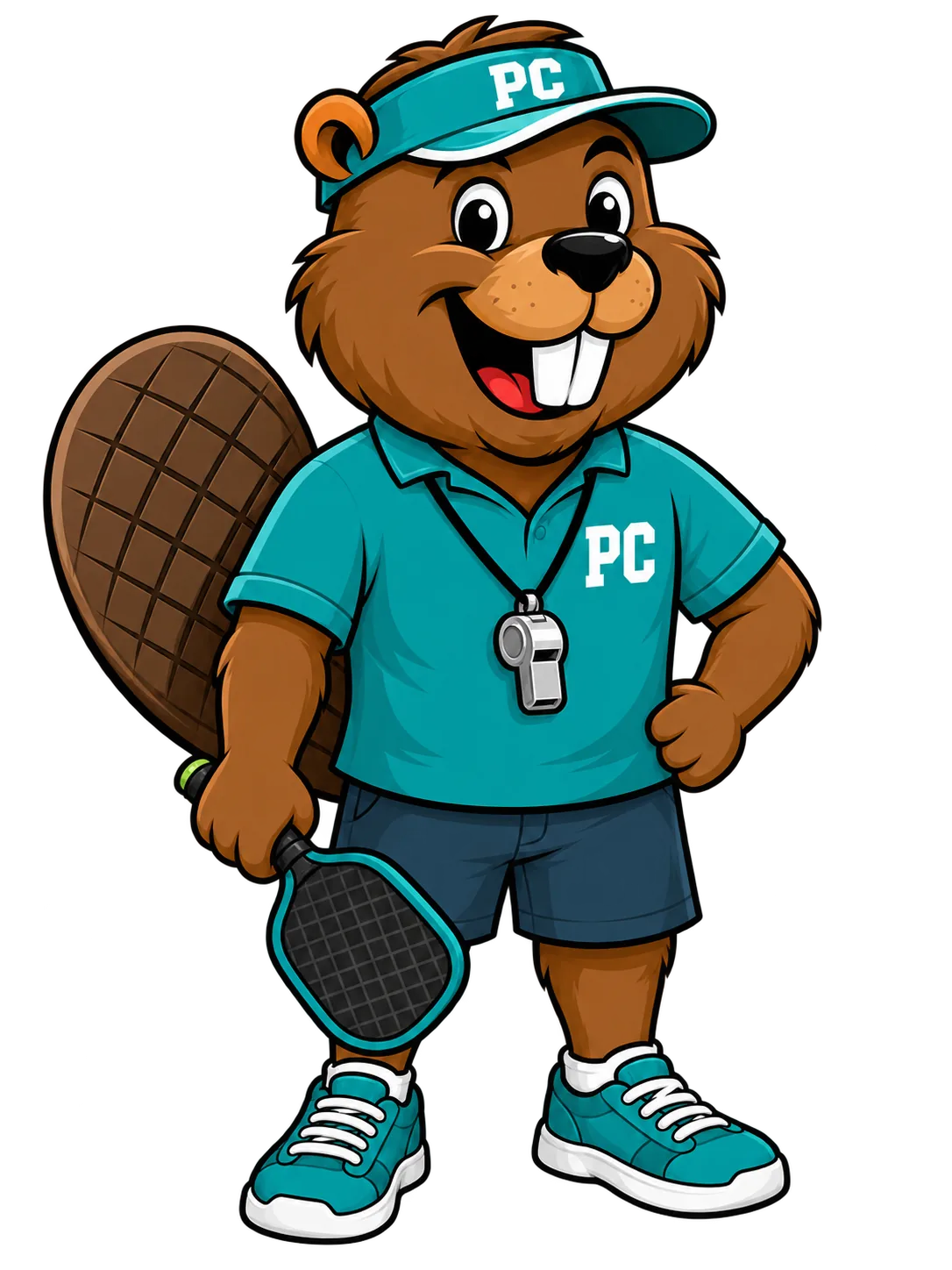
Coach Rally, the floor captain, stands in for the desk: visor, whistle, and a paddle. He can point at an open time. He still does not unlock the gate.
From a clipboard to a working product
PaddleChamps is live at paddlechamps.com. Players can find courts. Operators can start with shared reservations or add payments and open play.
The result is a working system for a narrower problem. The part that carries into advisory work is the judgment underneath it: who the system is for, what it should refuse to promise, and what still has to work after launch.